


If you have played MegaBlock on desktop and found yourself wanting to pick it up between other things, the good news is that nothing changes when you switch to your phone. The game runs in any modern mobile browser without an app, without a download, and without a separate account setup. Open your casino, find MegaBlock, and it loads — the same game, the same four difficulty modes, the same multiplier range, on a screen that fits in your pocket.
That is not a coincidence. InOut Games built their entire catalogue in HTML5 from the ground up, and mobile compatibility was part of the brief from the start rather than an afterthought. MegaBlock in particular suits mobile play well beyond just technical compatibility. Rounds are short — a placement takes a second, a full round rarely lasts more than half a minute — which means the game fits naturally into the kind of sessions people have on their phones. A few rounds while waiting, a longer session on the commute, a quick check of how Hardcore feels today. The format works.
The interface holds up on smaller screens too. The Go button is large and well-placed for thumb use, the difficulty selector is easy to adjust between rounds, and the multiplier display is prominent enough to read clearly without squinting. InOut Games kept the UI lean by design, and that decision pays off most visibly on mobile where cluttered interfaces fall apart fastest.
MegaBlock Android – Everything You Need to Get Started
Android players are well covered when it comes to the MegaBlock app experience. There is no standalone MegaBlock APK listed on Google Play — InOut Games operates as a B2B provider and does not publish consumer-facing apps directly — but that is not a limitation in practice. The MegaBlock app experience on Android is delivered through the mobile casino apps of the platforms that carry the game, or alternatively through the mobile browser with no installation at all. Both routes work reliably on any reasonably modern Android device, and the game itself adapts cleanly to different screen sizes and resolutions without any configuration needed on the player’s side.
For players who prefer a dedicated app on their home screen, downloading the casino’s Android app is the recommended route. Most platforms that carry InOut Games titles offer their own APK, which once installed gives you direct access to MegaBlock alongside the rest of their game library — login, deposits, and game history all in one place.
How to Download and Access MegaBlock on Android
Getting the MegaBlock app running on Android takes only a few minutes regardless of which route you choose. The following steps cover the casino app installation path, which gives the most complete experience:

- Choose a licensed casino that carries InOut Games titles — platforms like Stake, 1win, or Mystake are reliable starting points, all confirmed to have MegaBlock in their lobby.
- Visit the casino’s official website on your Android browser and look for the mobile app download link — usually found in the footer, the main menu, or a dedicated “Mobile” page.
- Enable installs from unknown sources on your device if prompted — go to Settings → Security → allow installation from unknown sources. This is required because casino APKs are distributed outside the Google Play Store.
- Download the APK file by tapping the download button on the casino’s page. The file will save to your Downloads folder and typically takes under 30 seconds on a stable connection.
- Open the APK from your file manager or the notification bar and follow the on-screen installation prompts. The process takes under a minute.
- Launch the app, log into your account or register, and search for MegaBlock in the game library. The game loads directly in the app — no further setup required.
For players who prefer not to install anything, skipping steps 2 through 5 entirely and simply opening the casino in Chrome or any Android browser gets you to the MegaBlock app just as quickly, with the same full feature set.
Android System Requirements
Before downloading, it is worth confirming your device meets the minimum specifications. MegaBlock is not a resource-heavy game — the cartoon construction site visuals are deliberately lean — but a baseline hardware standard ensures the timing mechanic runs smoothly without lag, which matters more in this game than in most. The table below covers both the minimum and recommended specs:
| Component | Minimum | Recommended |
|---|---|---|
| Android Version | Android 8.0 | Android 11 or higher |
| RAM | 2 GB | 4 GB or more |
| Processor | Quad-core 1.4 GHz | Octa-core 2.0 GHz+ |
| Storage (casino app) | 100 MB free | 250 MB free |
| Internet Connection | 3G | 4G / LTE or Wi-Fi |
| Browser (if no app) | Chrome 90+ | Latest Chrome version |
Devices that meet the recommended specs will run the MegaBlock app without any perceptible lag on block drops or multiplier updates — both of which need to respond instantly for the game to feel right. Older devices running on the minimum spec can still play, but the browser route tends to perform slightly better than a casino app on lower-end hardware, so it is worth trying both if you notice any slowdown.
MegaBlock iOS – iPhone and iPad
Apple device owners get a smooth ride with the MegaBlock app, and in some respects iOS is the better mobile platform for this particular game. iPhones and iPads handle the browser-based HTML5 format well — Safari on iOS is a capable engine for this kind of content, load times are fast, and the touch response is precise enough that the timing mechanic feels natural rather than sluggish. As with Android, there is no standalone MegaBlock app on the App Store, but the gap is easily filled either by a casino app downloaded directly from the App Store or by playing through Safari without installing anything at all.
One small advantage iOS has over Android here is that casino apps for Apple devices are more commonly available through the App Store directly, which removes the need to adjust any security settings before installing. The process is considerably more straightforward than the Android APK route, and for players who are less comfortable with manual installs it makes iOS the easier starting point for getting the MegaBlock app onto a device quickly.
How to Download and Access MegaBlock on iOS
The steps below cover the App Store route, which is the most straightforward path for most iPhone and iPad users:

- Select a licensed casino that carries InOut Games titles and has an iOS app available — Stake, 1win, and Mystake are all good starting points with confirmed MegaBlock availability.
- Open the App Store on your iPhone or iPad and search for the casino by name. Make sure you are downloading the official app by checking the developer name and reviews before installing.
- Download and install the app — the process is identical to any other App Store download and requires no changes to your device settings.
- Open the app and log into your existing account or complete a quick registration if you are new to the platform.
- Search for MegaBlock in the game library using the search function or browse the crash games or instant games category — it will be listed under InOut Games.
- Launch the game — it opens directly within the app, fully optimised for your screen size whether you are on an iPhone or a larger iPad display.
For players who prefer to skip the installation entirely, opening your chosen casino in Safari and bookmarking it to the home screen via the Share → Add to Home Screen option gives a near-identical experience to a native app, with a dedicated icon and no browser toolbar taking up screen space.
iOS System Requirements
iOS devices tend to have a longer useful lifespan than Android equivalents partly because Apple supports older hardware with software updates for longer. MegaBlock runs well across a broad range of devices as a result, though the table below outlines where the experience starts to degrade and where it is at its best:
| Component | Minimum | Recommended |
|---|---|---|
| iOS Version | iOS 13.0 | iOS 16 or higher |
| Supported Devices | iPhone 8, iPad 5th Gen | iPhone 12 or newer |
| RAM | 2 GB | 3 GB or more |
| Storage (casino app) | 100 MB free | 250 MB free |
| Internet Connection | 3G | 4G / LTE or Wi-Fi |
| Browser | Safari 13+ | Latest Safari version |
Older devices like the iPhone 8 or iPhone X are technically supported but may show occasional frame drops during rapid multiplier updates in Hardcore mode where the numbers climb fast. On anything from the iPhone 12 generation onward the MegaBlock app runs without issue across all difficulty levels and bet sizes.
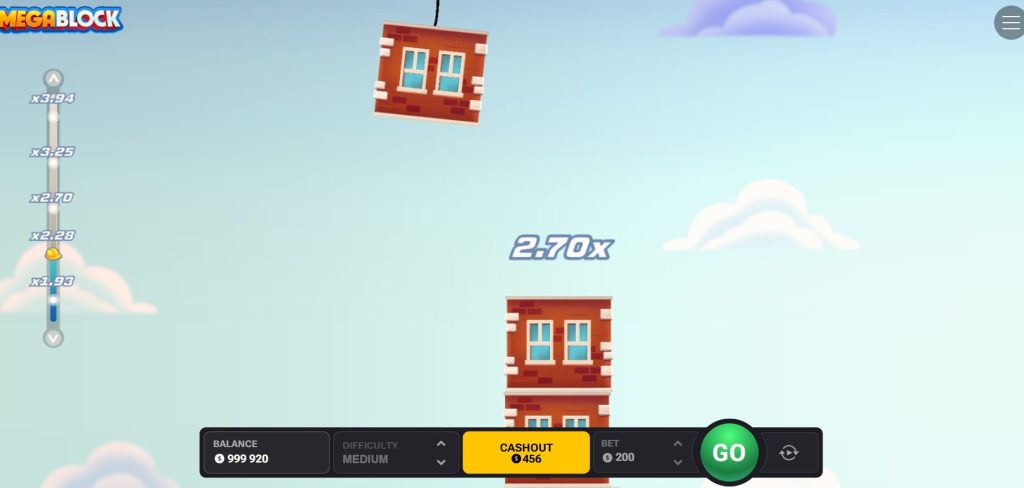
Why Download the MegaBlock App – Benefits Worth Knowing
The browser version of MegaBlock is perfectly functional and most players will find it more than adequate for casual sessions. That said, there are genuine practical advantages to having a dedicated casino app on your device rather than navigating to a website every time. The list below covers the most meaningful ones — not filler benefits, but differences that actually show up in day-to-day use.
- Faster access to the game – Tapping an app icon and landing directly in the lobby takes a matter of seconds. Opening a browser, typing an address, waiting for the site to load, and navigating to MegaBlock takes noticeably longer — a small friction that adds up across many sessions.
- Better performance on mid-range devices – Casino apps are optimised for mobile hardware in a way that browser tabs are not. On mid-range Android devices in particular, the MegaBlock app tends to run with fewer frame drops and faster load times than the browser equivalent, which matters when block drops need to register instantly.
- Persistent login – A casino app keeps you logged in between sessions. No re-entering credentials, no session timeouts, no two-factor prompts every time you open the game. For a title built around short, frequent rounds this is a more meaningful convenience than it sounds.
- Push notifications for bonuses – Most casino apps send push notifications for deposit bonuses, cashback offers, and reload promotions. Players using the browser version typically miss these unless they check the promotions page manually. Given that MegaBlock sessions are short and bonus funds stretch further when rounds cost as little as $0.10, catching a timely bonus offer is worth something.
- Full screen gameplay – The MegaBlock app fills the entire screen without browser toolbars, address bars, or navigation UI eating into the display. On smaller phones the difference in visible play area is noticeable, and the construction site visuals look considerably better without a browser frame around them.
- Integrated payment management – Deposits, withdrawals, and balance checks are all handled within the app without switching to a browser tab. For players who move money in and out regularly between sessions this removes a layer of friction that the browser experience cannot eliminate.
- Stability on poor connections – Casino apps handle connection drops and network switching more gracefully than browser sessions. If your signal drops mid-session on mobile data, an app is more likely to reconnect cleanly than a browser tab, which may simply time out and lose your session entirely.
The honest caveat is that not every casino offering MegaBlock has a polished app — quality varies between operators. Before committing to a download, checking user reviews of the specific casino app on the Play Store or App Store takes two minutes and can save considerably more frustration down the line.
Browser vs App – Which Is Better for MegaBlock?
The choice between playing MegaBlock through a browser or through a dedicated casino app is less obvious than it might seem at first. Both options deliver the full game with no features locked to either side, but the day-to-day experience differs in several practical ways. If you are trying to decide which route suits you better before committing to a download, the table below lays out the key differences directly.
| Criteria | Browser | App |
|---|---|---|
| Installation required | No | Yes |
| Access speed | Moderate | Fast |
| Performance | Good | Very good |
| Full screen gameplay | No | Yes |
| Persistent login | No | Yes |
| Push notifications | No | Yes |
| Connection stability | Moderate | High |
| Works on all devices | Yes | Android & iOS only |
| Storage needed | None | 100–250 MB |
| App updates required | No | Occasionally |
| Integrated payments | No | Yes |
| Best for first-time players | Yes | Good |
| Best for regular players | Adequate | Yes |
| Demo access without account | Yes | Depends on casino |
The pattern in the table is consistent — the browser wins on accessibility and zero commitment, the app wins on everything that affects the quality of regular use. For someone trying MegaBlock for the first time or playing occasionally, the browser is the obvious choice. For anyone who has settled on a casino and plays the MegaBlock app more than a couple of times a week, the app pays back the one-time installation effort quickly and keeps paying it back every session after that.
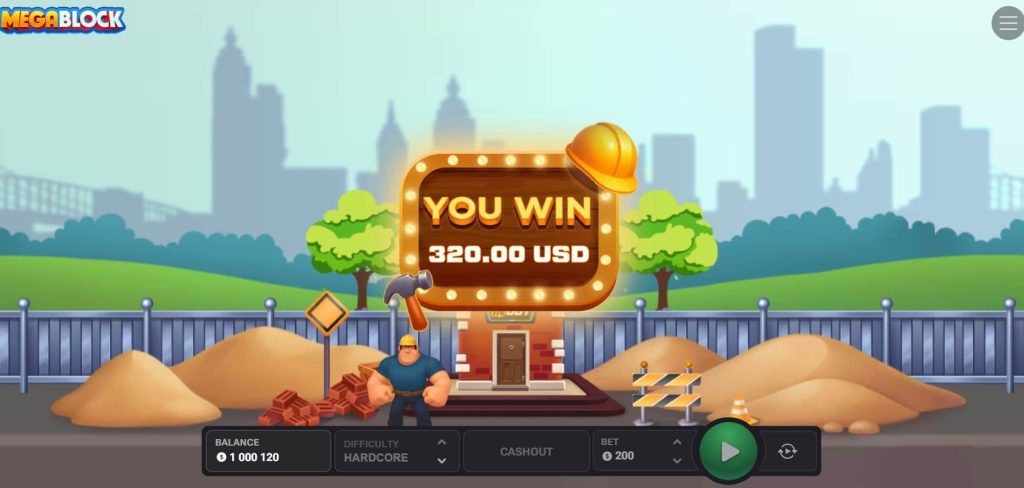
Final Thoughts – MegaBlock App on Mobile
MegaBlock is one of those games that genuinely benefits from being on your phone. The short round format, the single-button mechanic, and the instant feedback loop are all qualities that translate directly into good mobile design — not by accident, but because InOut Games built the game with exactly this kind of play in mind. Whether you open it in a browser during a spare five minutes or launch it through a casino app for a longer session, the experience holds up consistently across both.
The MegaBlock app route — via a casino that carries InOut Games titles — adds a layer of convenience that regular players will notice quickly. Faster access, stable connections, persistent login, and full screen gameplay are not dramatic improvements individually, but together they remove enough small frictions that the app version simply feels better to use on a daily basis. For occasional players the browser is perfectly fine and requires nothing from you beyond an internet connection.
What is worth emphasising is that neither route requires any compromise on the game itself. The difficulty system, the full multiplier range up to x2,941,884 on Hardcore, and the provably fair mechanics are identical whether you are playing on a flagship iPhone, a mid-range Android, or a desktop browser. InOut Games made a deliberate choice to keep the MegaBlock app experience consistent across every platform, and it shows. Pick the access method that suits your habits and the game takes care of the rest.
Frequently Asked Questions
Is there a standalone MegaBlock app I can download directly?
There is no standalone MegaBlock app available on Google Play or the App Store. InOut Games is a B2B game provider and does not publish consumer-facing apps. The MegaBlock app experience is accessed through the mobile apps of licensed online casinos that carry InOut Games titles — platforms like Stake, 1win, or Mystake. Alternatively, the game runs in any modern mobile browser without any installation at all, which for many players is the simpler starting point.
Does the MegaBlock app work the same as the desktop version?
Yes, completely. The mobile version is not a stripped-down port — it is the same HTML5 game running in a different environment. All four difficulty modes are available, the full multiplier range is intact, the provably fair system works identically, and the cashout and autoplay mechanics behave the same way. The only practical difference is screen size, and InOut Games designed the interface to handle that without any loss of functionality.
Do I need to create an account to play the MegaBlock app?
Not if you are playing the demo. The free demo version is accessible without registration on the InOut Games website and on many casino review platforms — just open the page and play. For real money play through a casino app you will need a registered account with that platform, which typically takes a few minutes to set up. The MegaBlock app itself requires no separate account beyond whatever the casino asks for.
Why is the MegaBlock app not showing up in my casino's game library?
A few possibilities worth checking: the casino may not carry InOut Games titles, the game may be restricted in your region, or the app version of the casino may have a slightly different game catalogue than the desktop version. The quickest fix is to use the search function within the casino lobby and type “MegaBlock” or “InOut” directly. If nothing comes up, the casino likely does not carry it and switching to one of the confirmed platforms — Stake, 1win, Mystake, or BC.Game — will resolve the issue.
Is the MegaBlock app safe to download through a casino?
As long as you are downloading from a licensed casino’s official website or its verified App Store listing, yes. The risk with Android APKs specifically is downloading from unofficial or third-party sources rather than the casino’s own site — those files can be tampered with. Stick to the official download link from the casino’s website, verify the platform holds a valid license before depositing, and the MegaBlock app installation carries no more risk than any other app download from a legitimate source.